
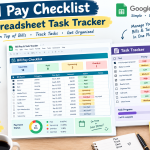




Bill Pay Checklist & Spreadsheet Task Tracker
Use a bill pay checklist and spreadsheet task tracker to organize payments, deadlines, recurring bills, and daily tasks with ease.
Keeping track of bills and everyday responsibilities can quickly become overwhelming. A missed payment, forgotten deadline, or unfinished task can create unnecessary stress.
A simple bill pay checklist combined with a spreadsheet task tracker can make your routine much easier. Instead of relying on memory, you can organize everything in one convenient place and know exactly what needs to be done.
Why Use a Bill Pay Checklist?
A bill pay checklist provides a simple way to track recurring payments and their due dates. You can list expenses such as rent, electricity, internet, subscriptions, insurance, and credit card payments.
A basic checklist can include:
- Bill name
- Due date
- Amount due
- Payment status
- Payment method
- Notes
Checking off each payment as it is completed gives you a satisfying little win—and helps prevent forgotten bills.
How a Spreadsheet Task Tracker Helps
A spreadsheet task tracker can organize more than just bills. You can use it to manage household responsibilities, work assignments, shopping tasks, appointments, projects, and personal goals.
Useful columns might include:
| Task | Due Date | Priority | Status | Notes |
|---|---|---|---|---|
| Pay electricity bill | 5th | High | Pending | Online payment |
| Review subscriptions | 10th | Medium | In Progress | Check unused services |
| Update monthly budget | 15th | High | Pending | Add recent expenses |
This simple structure gives you a quick overview of what's finished and what still needs attention.
Combine Bills and Tasks in One System
Why keep your financial checklist and daily tasks completely separate? Combining them can create a more convenient productivity system.
For example, you can create separate tabs for monthly bills, daily tasks, recurring payments, and completed items. This keeps information organized without creating dozens of different files.
Your bill pay checklist can handle financial deadlines, while your spreadsheet task tracker manages everything else on your to-do list.
Make Recurring Bills Easier to Manage
Recurring expenses are easy to forget because they happen again and again. A spreadsheet can make these payments much more visible.
Add each recurring bill once, then update the payment status each month. You can also add reminders for upcoming due dates.
Color-coding or simple status labels such as Pending, Paid, and Overdue can make your spreadsheet easier to scan.
Track Tasks by Priority
Not every task deserves the same level of attention. A spreadsheet task tracker can help you separate urgent responsibilities from tasks that can wait.
Try using priority levels such as:
- High: Needs immediate attention
- Medium: Important but flexible
- Low: Can be completed when convenient
This approach helps you focus your energy where it matters instead of staring at a giant list wondering where to begin.
Review Your Checklist Every Week
A weekly review can keep your system accurate and useful. Set aside a few minutes to check upcoming bills, update completed tasks, and add anything new.
Look ahead for payments that are due soon. Then review unfinished tasks and decide whether they should be completed, rescheduled, or removed.
A little organization today can save you a lot of scrambling tomorrow!
Keep Your Spreadsheet Simple
The best productivity spreadsheet isn't necessarily the one with the most complicated formulas. It should be easy to understand and quick to update.
Use clear headings, consistent categories, and straightforward status labels. If you're spending more time maintaining your tracker than completing your tasks, it's probably time to simplify it.
Final Thoughts
A bill pay checklist can help you stay on top of important payments, while a spreadsheet task tracker can bring order to your everyday responsibilities.
Together, they create a simple system for managing deadlines, recurring bills, and tasks without depending entirely on memory. Keep it updated, review it regularly, and customize it around your routine. Once everything is organized, staying productive becomes a whole lot easier.